 PocketStacks
A data-rich net-worth tracker
Your rolling net worth, kept honest.
One number for what you're really worth, updated in a few minutes each month. Add a single figure per account, or drill down as deep as you like.
- One-time purchase
- No subscription
- No bank logins
- Works offline
Works on iPhone, iPad, Android and desktop. Sample figures shown are fictional.
See your wealth grow
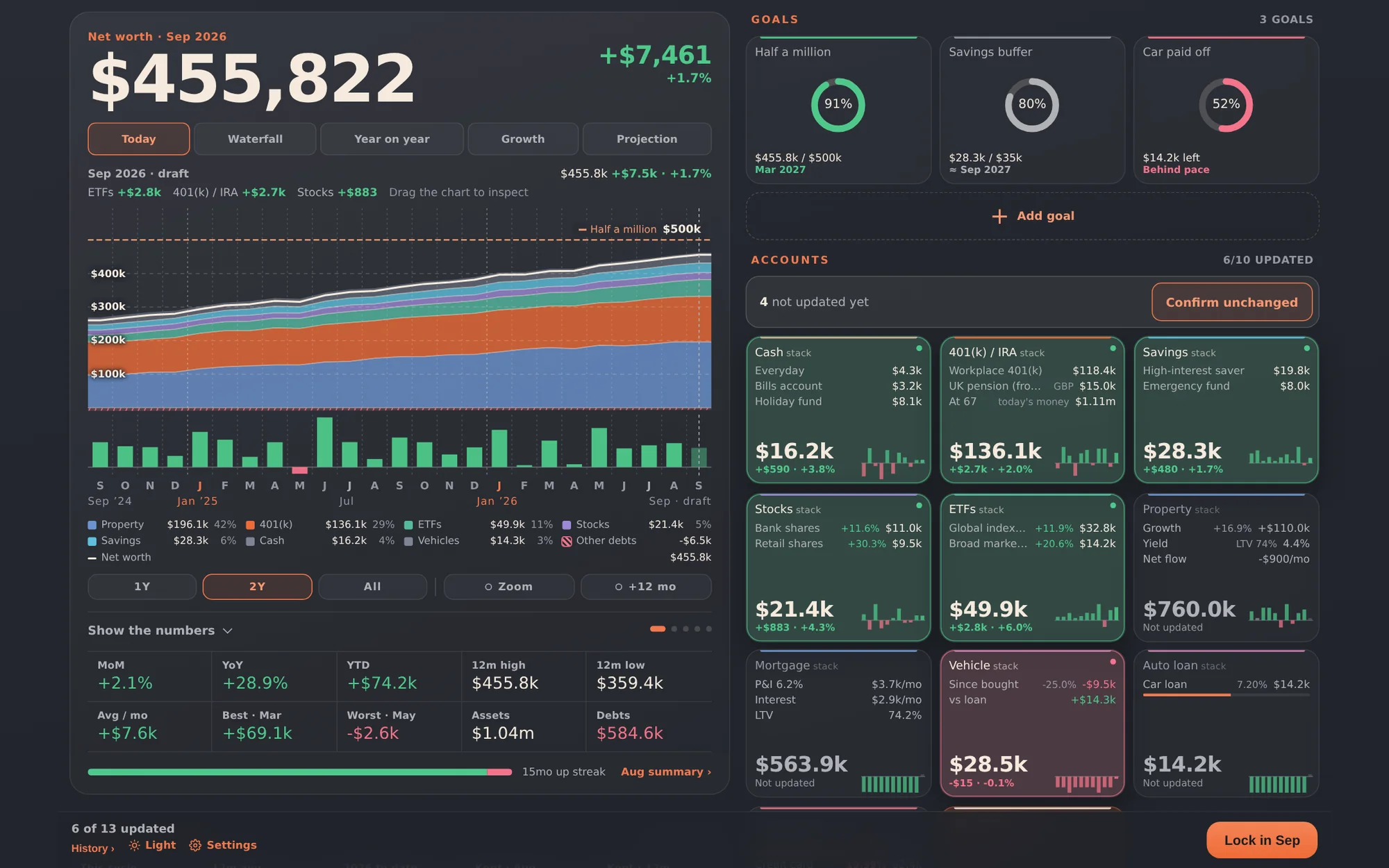
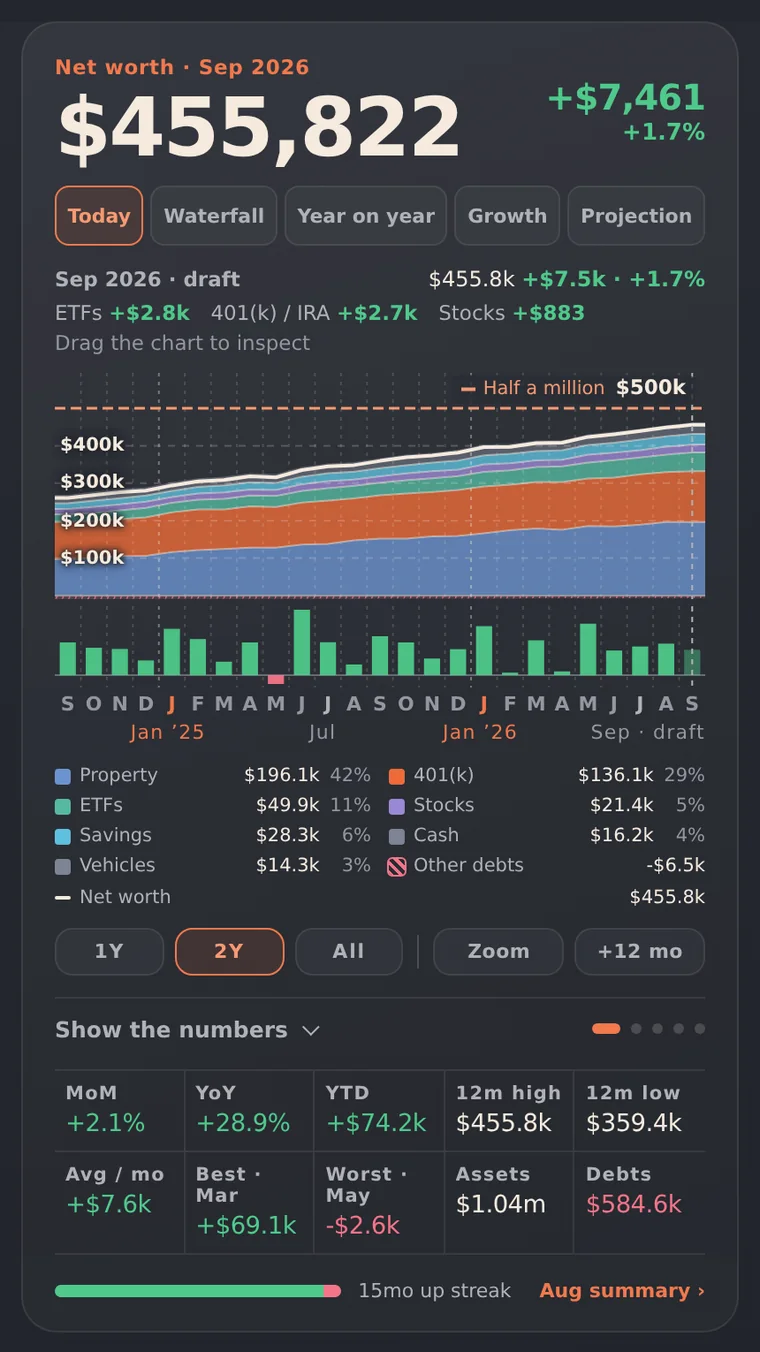
Your rolling net worth sits front and centre, with the change since last month and a chart of how you got here.
Check in once a month
A few minutes with your real balances keeps you honest: what grew, what shrank, and whether you're on pace for your goals.
Buy once, keep it
One payment, no subscription. Improvements load automatically the next time you open the app.
Simple or detailed
One number per account, or as deep as you like.
Start with a single balance for each account and you're done in minutes. When you're ready, break any stack into the lines behind it: individual accounts, share holdings, the loan against each property. Your net worth is the same either way.
- Rolling net worth with the change since last month
- A stacked chart of every stack over time, with a goal line
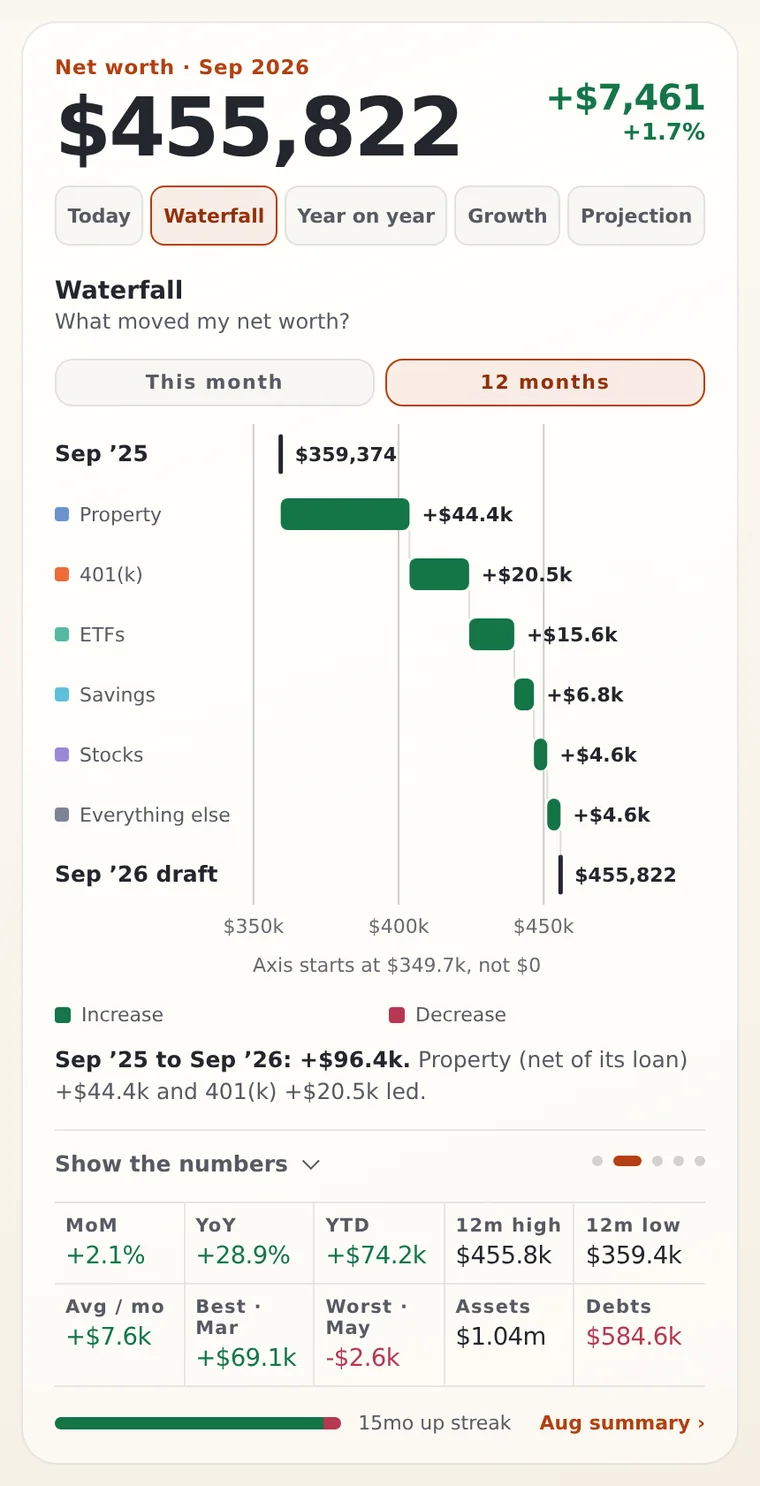
- Waterfall, year-on-year, growth and projection views
- Goals that tell you plainly if you're ahead or behind
- Loans tracked against what secures them
- Missed a month? Fill it in or carry balances forward
How it works
Two minutes a month. That's the whole habit.
Set up your stacks
Group what you own and owe: cash, savings, super or 401(k), shares, property, loans. Pick your region and the labels and currency follow.
Update once a month
Type in the new balance for each stack and lock the month. Missed one? The app offers to catch up so your history stays complete.
Watch it roll forward
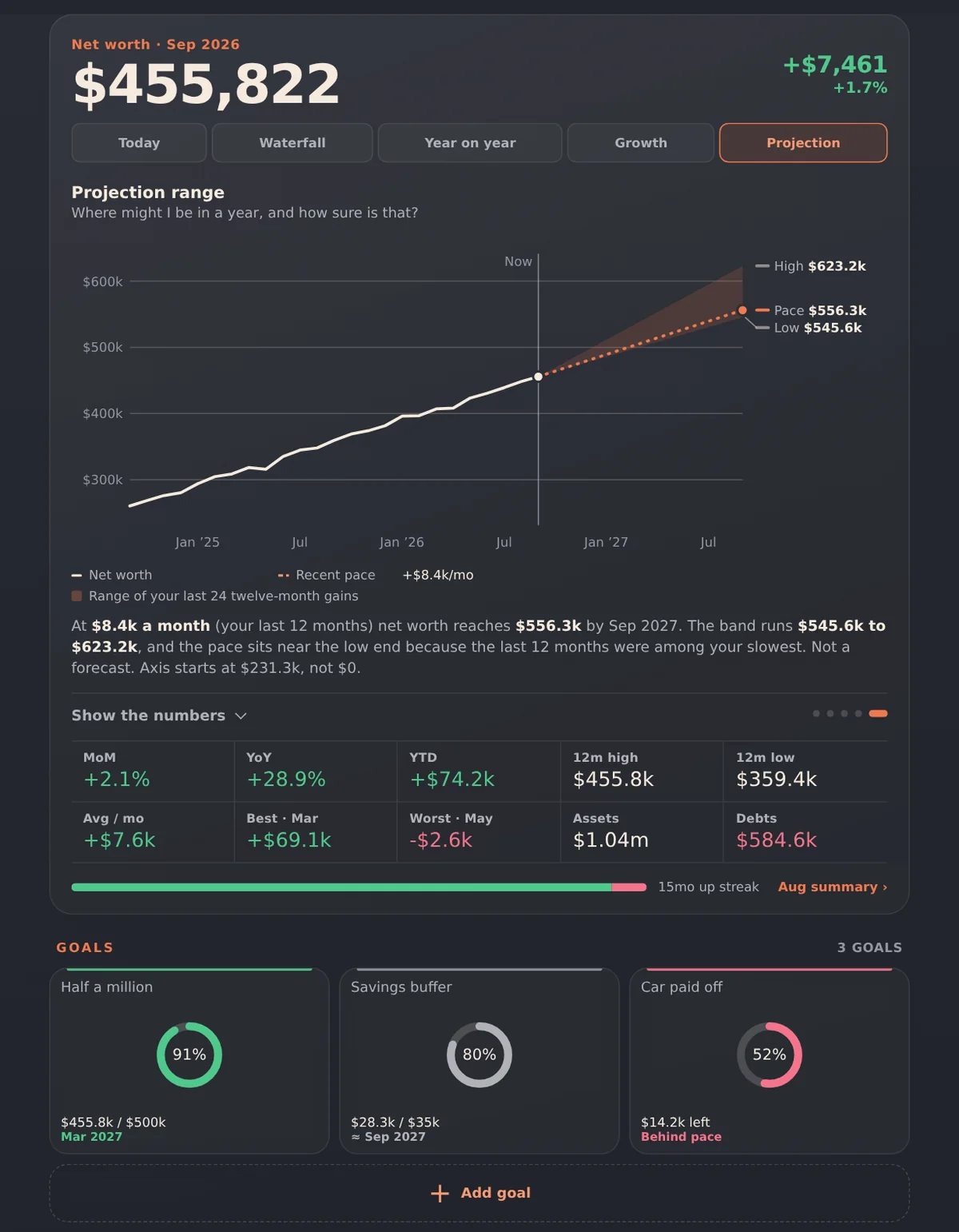
Your net worth, where it sits, how you're tracking against goals, and a projection ahead. Month by month it tells a story a bank app never will.
Phone, tablet, desktop
One app, every screen you own.
The layout adapts to the screen. Install it to your Home Screen or desktop and it opens like any other app, even without a connection.
Want your figures on more than one device? Connect your own Dropbox or Google Drive and the app keeps a single copy in sync.
Privacy, plainly
Your money is nobody's business but yours.
Stored on your device
Your figures live in your browser's own storage. There's no PocketStacks account and no PocketStacks server holding your data.
No bank connections
You type the numbers in. It takes a few minutes a month, and it means no bank logins, no screen-scraping and nothing to leak.
No ads, no tracking
No ads and no analytics. Apart from loading its fonts, the app makes no network requests unless you turn on sync or add a foreign-currency balance, which fetches a public exchange rate (only the currency pair is sent).
The trade-off, honestly
Because data stays on your device, clearing your browser's data would erase it. That's why there's one-tap export, a monthly backup reminder, and optional sync to your own cloud storage.
Get PocketStacks
A one-off purchase. No subscription.
- A quick-start guide (PDF) with your private link to the app
- Step-by-step install for iPhone, iPad, Android and desktop
- Free updates, loaded automatically
- For personal use on your own devices
Questions
Good things to know
Is this financial advice?
No. PocketStacks is a record-keeping and visualisation tool. It does not give financial, tax, legal or investment advice, and projections are simple illustrations based on the numbers you enter, not forecasts. For advice about your own situation, talk to a licensed professional.
How do I get it after I buy?
Right after checkout you receive a quick-start guide (PDF) with your private link to the app and the steps to add it to your Home Screen or desktop. Open the link on any of your devices and start adding figures.
Do I need an account?
No. There's no sign-up and no PocketStacks login. You open the app and start adding figures.
Does it connect to my bank?
No, by design. You enter balances yourself once a month. It takes a few minutes and keeps your bank credentials out of the picture entirely.
What if I lose my phone or clear my browser?
Your data is stored on the device, so keep a backup. Export a file from Settings whenever you like, or connect Dropbox or Google Drive so a copy is kept in your own cloud storage. The app nudges you to back up about every 30 days.
Can I use it on my phone and my computer?
Yes. Use it on as many of your own devices as you like and connect the same Dropbox or Google Drive account to keep them matched. The app asks you which copy to keep if both have changed, so nothing is overwritten without your say.
Does it work offline?
Yes, once you've opened it online and added it to your Home Screen or desktop. Your figures are on the device, so you can update them anywhere.
Which currencies and countries?
Australia, the UK, New Zealand and the US are set up with the right currency and retirement-account names. You can also track foreign holdings and convert them at a rate you choose.
How do I get updates?
Improvements load automatically the next time you open the app online. Your saved figures aren't touched by updates.